
New forum structure!
- Dell Wyse
- HP
- IGEL Technologies
- Stratodesk
- Amulet Hotkey
- Leostream
- Teradici
- Buy / Sell / Trade
If you have more that you would like to see, send an email to ji*@fl**********************.com
New forum structure!
If you have more that you would like to see, send an email to ji*@fl**********************.com
I’m a freelance engineer and consultant with over 20 years of experience. I’ve worked across many industries, including federal, state, and local governments, health care, small, medium, and large businesses, hospitality, and retail. I’ve helped businesses of all sizes solve their most challenging problems.
I’m a self-starter who works best independently but can also collaborate well on teams. When working with my team members, I take the initiative to lead the design process and offer clear direction. I’m always open to feedback and receptive to new ideas.
Read more Freelance Support
Dell recently published their latest Windows 10 IoT Enterprise LTSC 2021 for the Dell OptiPlex 3000 Thin Client.
This e-support image, version v10.05.XX.08.23.00 A00, has been updated to include the latest security intelligence updates for Microsoft Defender Antivirus and other Microsoft antimalware updates. Refer to the QFEs list for more information.
A few noted updates and deletions:
IMPORTANT NOTE!!!
The default password for the Admin account is Admin#SerialNumber of the device. The default password for the User account is User#Serialnumber of the device.
If IT administrators do not plan to reload the e-support image, they can also download the security patches from the Microsoft Update Catalog and follow the Deployment Guide for deployment. It can save time in deployment, image customization, and network traffic. Also With WMS WInIoT 2.0 Configuration UI installed, Admins can now schedule Windows Updates with WMS.

September 26, 2023
Dell released Dell Hybrid Client 2.5 – Addon package for Ubuntu Security Fixes DHC2.5-OS-securitypack_00-01_22.04.tar.gz. This package contains the security updates for various vulnerabilities on OpenSSL, SSSD, Samba, Sequelize, and SQlite3. The package applies to customers using the Dell Hybrid Client 2.5 devices (Ubuntu 22.04).
This update addresses the Dell Security Advisories (DSA) DSA-2023-330: Security Update for Multiple Third-Party Component Vulnerabilities within Dell Hybrid Client. A security advisory is a statement when a security vulnerability impacts a product, and a remedy is available.
Note: A reboot is required after patches have been applied.
Wyse Management Suite 4.1 supports new WinIoT 2.x configurations through a new configuration user interface, which provides an enhanced user experience. The new interface includes a search function that enables you to locate configuration options easily, saving time and effort.
ConfigUISupport.exe is required to recognize any device as a WinIoT 2.x policy-enabled device. For the WinIoT devices to be managed with the WinIoT2.x policy, deploy the ConfigUI.exe package from WMS. This will require the installation of the Dell Application Store in the same policy.
For the public cloud environment, the new interface is applied automatically. On-Prem or local WMS, apply all ConfigUI updates to your WMS install. This functionality is supported when you upgrade Wyse Device Agent to version 14.6.9.x or later versions and Wyse Easy Setup to version 2.0.0.471 or later.
NOTE: After transitioning from WinIoT (Legacy WES) to WinIoT 2.x, you must redo all configurations.
Benefits / Features
Enhanced user experience: The new policy provides a fresh and intuitive user interface, making it
easier for users to navigate and utilize the WMS effectively.
There is a key feature in WES 2.x that provides the ability to update Windows IoT Microsoft Updates using UWF Service Mode. This feature will reboot the device and apply relevant Windows IoT updates when applied or scheduled. Depending on how many updates are required, it may take 2 or more updates to patch Windows IoT fully.
For more information, refer to https://dl.dell.com/content/manual40680495-transition-from-the-winiot-policy-to-winiot-2-x.pdf?language=en-us
“Transition from the WinIoT (WES) policy to WinIoT 2.x” discusses the transition of Windows IoT configuration policies in Dell Wyse Management Suite to the latest 2.x policies. Here’s a summary of the key points:
Dell recently moved to the ISO format of their ThinOS firmware; this format will not work with their Dell Wyse USB Imaging Tool. You can now reimage Dell OptiPlex and Latitude Thin Clients using Rufus or the Dell OS Recovery Tool. Steps using the Dell OS Recovery Tool are listed below.
Steps
For more information about how to Install ThinOS from USB drive using Dell OS Recovery Tool, see the Dell ThinOS 2308, 2306 and 2303 Migration Guide at www.dell.com/support.
Firmware Upgrade:
Important Notes:
For detailed information, refer to the Dell Wyse ThinOS Version 2308, 2306, and 2303 Migration Guide at www.dell.com/support.
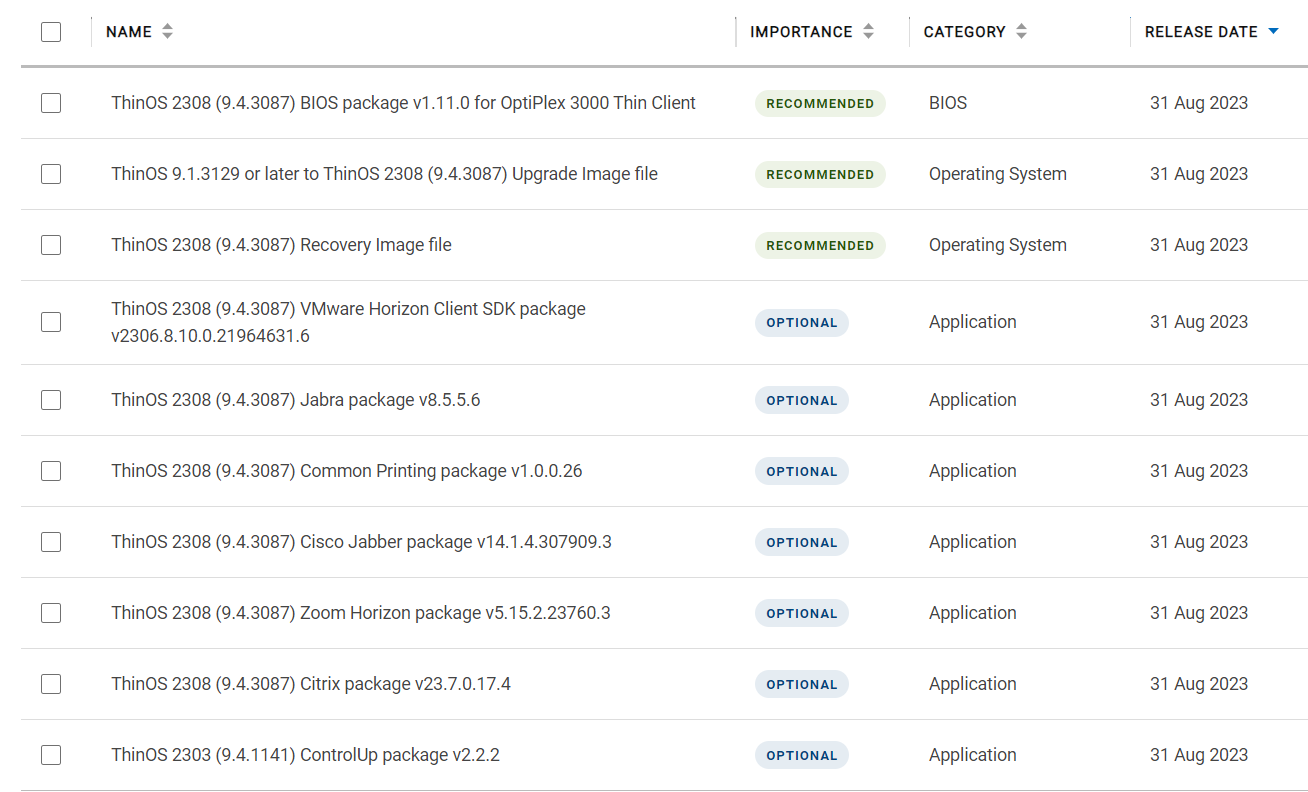
Dell has updated ThinOS 9 client configuration profile for ThinOS 2308 (build 9.4.3087), which will add new options, including:
• Added Enable Notice Window Resizable.
• Added Enable Silence Launch.
• Added Use Only WMS Defined Wireless Configurations.
• Added Kerberos Realm.
• Added input validation for some printer fields.
• Added configurations 3 and 4 in RFIdeas Reader.
• Added Disk Map To under Citrix Session Settings.
• Added Citrix USB File Settings in Citrix Configuration Editor.
Dell announced the Wyse Management Suite 4.1.1 update schedule date.
The Wyse Management Suite update will be released as follows:
During this time, the portal will be unavailable, and users will be redirected to a maintenance page. There may also be brief periods when the maintenance page is unreachable. However, this will not affect the Thin Clients’ ability to connect to their computing environments.
What’s New in WMS 4.1.1
This release will provide performance improvements, bug fixing, and new features. A few key features are listed below:
• Bulk Group Change devices up to 10,000 entries
• New background job to delete un-registered devices
• UI change for the bulk group change to increase the window size and coloring
• Group Name search feature in all Group listing UI and Pop-ups.
• Available license count to be displayed on the subscription page
• BIOS Parameter report for ThinOS 9.x devices (Device Name, OS Type, Serial Number/Service Tag, MAC, AC Recovery, Auto Power, Auto Power Time, Auto Power Days, Wake On USB, Wake On Lan, Deep Sleep Control.)
• Bug fixes

Dell ThinOS and Dell Hybrid Client (DHC) users, running older versions of the operating system and Azure Virtual Desktop agent software, will experience frequent session disconnections after August 15. Windows 10 IoT Enterprise LTSC users are not impacted.
Microsoft has implemented Web Service enhancements to the Azure Virtual Desktop (AVD) Linux SDK that require customers to upgrade their AVD agent. Starting August 15, older AVD agents will no longer be able to connect to Microsoft Azure Web Services (also known as Kestrel).
To avoid service disruption, customers must update to the latest ThinOS 2306 or DHC 2.5 release and AVD agent package before August 15.
The latest versions can be found on Dell.com:
More information can be found at KB Article Number: 000216064
Thin Clients Using Older Azure Virtual Desktop Agents Will No Longer Be Able to Connect to Microsoft Azure Web Services